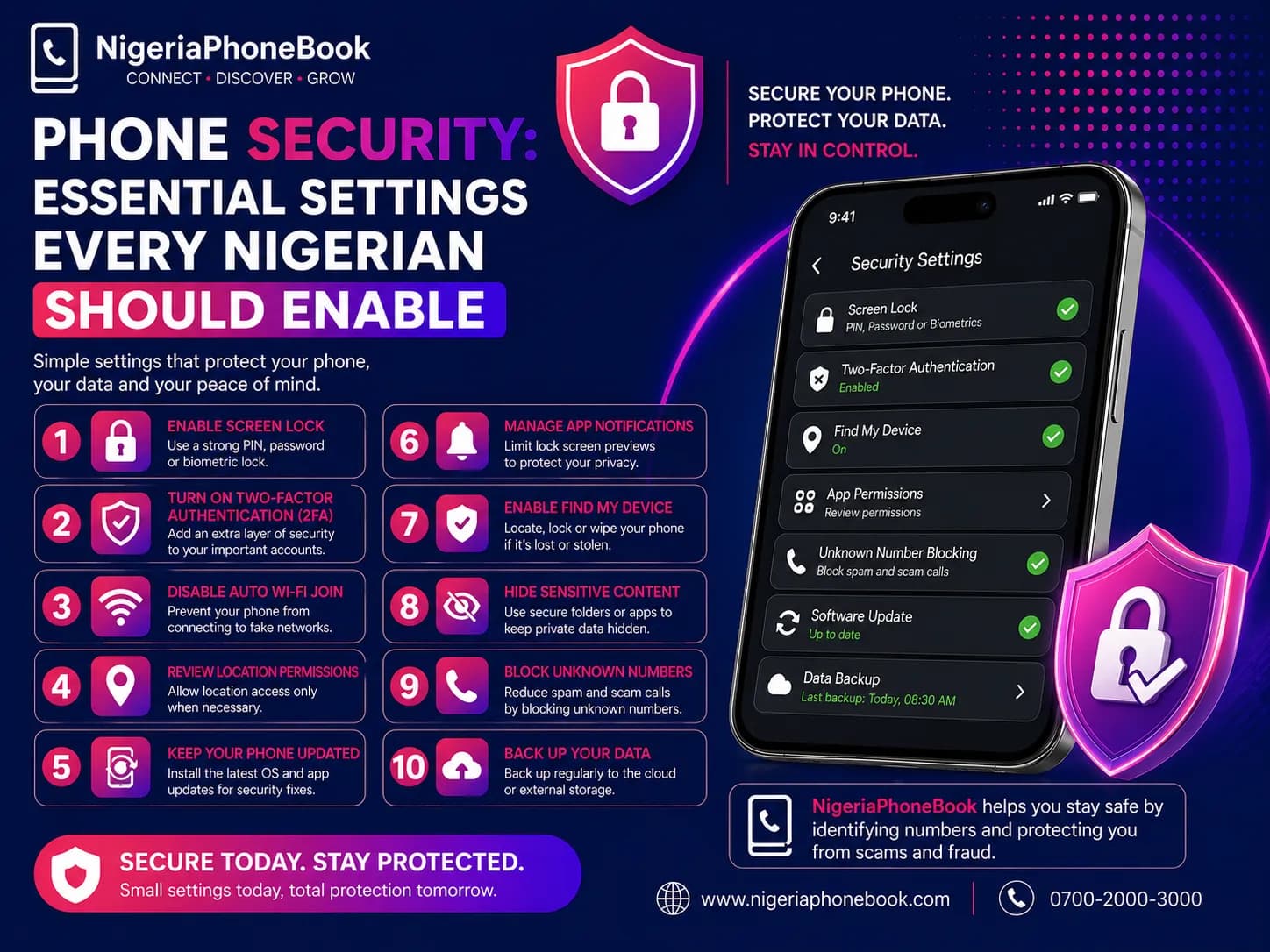
Phone Security: Essential Settings Every Nigerian Should Enable
Your phone holds your banking apps, personal messages, family photos, social media accounts, and more. Losing it — or worse, having it hacked — can be devastating. Here are the security settings you should enable today.
1. Screen Lock (Obviously)
If you don't have a screen lock, fix it now:
- PIN: At least 6 digits, not your birthday
- Password: Mix of letters, numbers, symbols
- Fingerprint or Face ID: Fast and secure
- Pattern: Least secure, but better than nothing
Avoid: Obvious patterns (L-shape, Z-shape), "1234", "0000".
2. SIM Card PIN
This prevents a thief from using your SIM if they steal your phone or remove the SIM.
iPhone:
Settings → Mobile Data → SIM PIN → Toggle On
Android:
Settings → Security → SIM card lock → Lock SIM card
The default SIM PIN is usually 0000 or 1234 — change it to something unique.
3. Find My Phone
If your phone is lost or stolen, this feature lets you locate, lock, or wipe it remotely.
iPhone:
Settings → Your Name → Find My → Find My iPhone → Toggle On
Android:
Settings → Google → Find My Device → Enable
4. Automatic OS Updates
Security patches protect against known exploits. Enable automatic updates:
iPhone:
Settings → General → Software Update → Automatic Updates → On
Android:
Settings → Software update → Auto download over Wi-Fi → On
5. App Store Only
Only install apps from the official App Store (iOS) or Google Play Store (Android). Avoid "cracked" APKs or sideloaded apps — they often contain malware.
Android:
Settings → Security → Install unknown apps → Disable for all apps
6. Review App Permissions
Many apps request more permissions than they need. Review them regularly:
iPhone:
Settings → Privacy & Security → scroll through each category
Android:
Settings → Privacy → Permission Manager
Ask yourself: Does this calculator app really need access to my contacts?
7. Enable Two-Factor Authentication
For every important account — email, banking, social media — enable 2FA. Use an authenticator app instead of SMS when possible.
Recommended authenticator apps:
- Google Authenticator
- Microsoft Authenticator
- Authy (syncs across devices)
8. Secure Your Lock Screen Notifications
Don't let sensitive info appear on your lock screen — OTPs, bank alerts, private messages.
iPhone:
Settings → Notifications → Show Previews → When Unlocked
Android:
Settings → Notifications → Sensitive notifications → Off on lock screen
9. Encrypt Your Device
Modern phones encrypt data by default if you have a screen lock. Verify encryption is on:
iPhone:
Automatically encrypted when you set a passcode.
Android:
Settings → Security → Encryption → Confirm your phone is encrypted.
10. Backup Regularly
If you lose your phone, a backup saves you from losing everything.
- iPhone: iCloud Backup (Settings → Your Name → iCloud → iCloud Backup)
- Android: Google Backup (Settings → Google → Backup)
11. Be Wary of Public Wi-Fi
Free Wi-Fi at cafes and hotels can be hacked. Avoid logging into banking or sensitive accounts on public networks. Use mobile data or a trusted VPN.
12. Install a Caller ID App
Identify unknown callers and block scam numbers with apps like Truecaller or NigeriaPhoneBook (mobile app coming soon).
13. Don't Save Passwords in Browser
Use a dedicated password manager (Bitwarden, 1Password) instead of your browser's password saving feature.
14. Enable Remote Wipe
If your phone is stolen, you want to be able to erase it remotely. Both iOS and Android support this via Find My Phone.
If Your Phone Is Stolen
- Use Find My Phone to locate, lock, or wipe it
- Report to your telco to block the SIM and IMEI
- File a police report (needed for insurance claims)
- Change all your important passwords
- Notify your bank to monitor for fraud
- Alert contacts — scammers may use your stolen phone
The Bottom Line
Phone security isn't paranoia — it's common sense. Spending 15 minutes enabling these settings can save you from weeks of headaches if something goes wrong. Do it today.
Written by
NigeriaPhoneBook Team
Contributor at NigeriaPhoneBook. Writing about scam awareness, digital safety, and protecting consumers from fraud.